Start with the bigger picture. Find the levels nearby. Watch what price does when it gets there.
01DTE brings those observations into connected views beside your charting and execution platform. Choose the tools that answer the question in front of you.
September 18, 2026 observations · Range Pulse captured in replay on September 19. Historical displays, not live data or trading results.
A PRACTICAL SESSION ROUTINE
From the wider view to the next interaction.
You do not need every tool open. Start with a question and use the view that helps answer it.
01
DIRECTION
Read the session first.
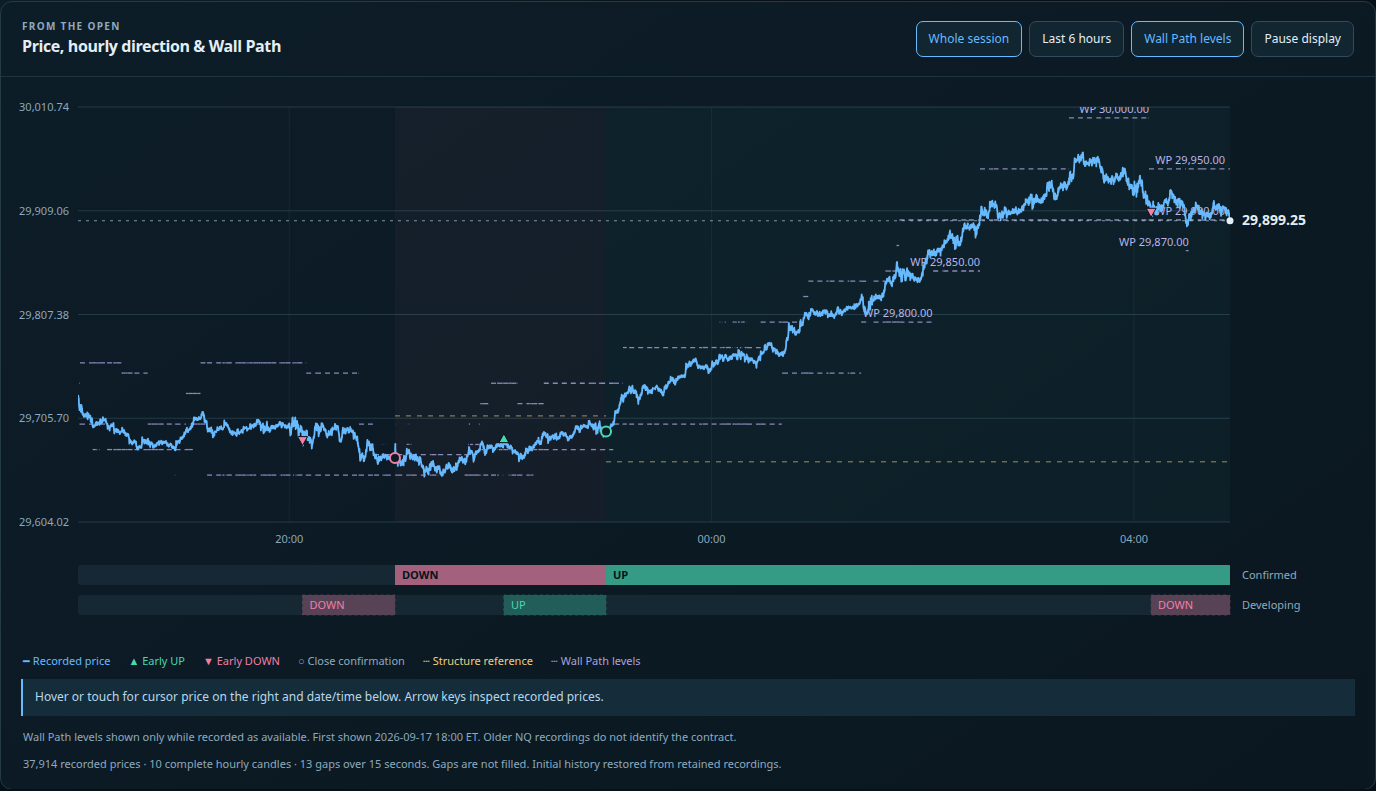
For NQ, open Session Compass. Compare the developing hour with the confirmed hourly direction and its structure reference. A pullback and a change in the wider session are different observations.
Ask: Is this a move within the existing picture, or is that picture being challenged?
Put nearby references around current price. Wall Hunter identifies available mapped walls and their source evidence. Kaleidoscope combines current wall distance with EMA context. Waypoint supplies a separate map of price-derived zones.
Ask: What is the nearest usable reference, and what kind of evidence created it?
Matching levels can share inputs. Missing wall data means unknown context, not unlimited room.
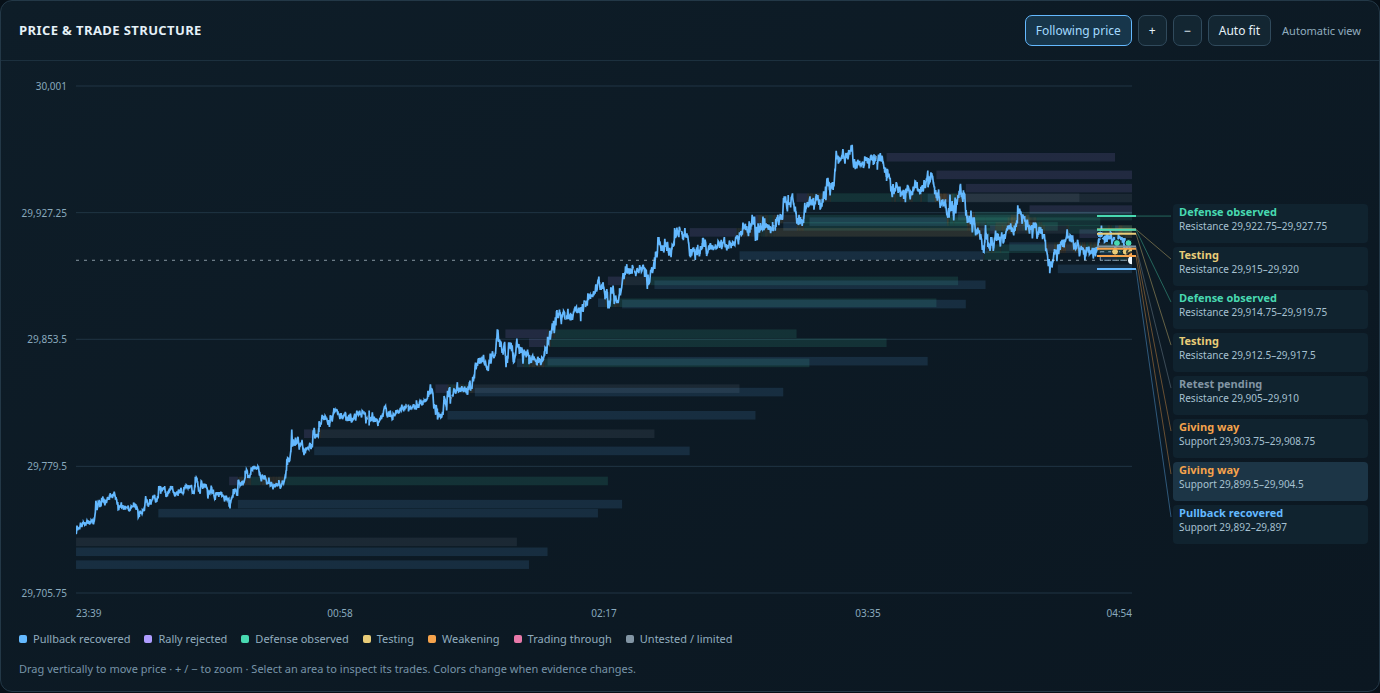
A reference becomes more useful when you can inspect the response. Price Control shows observed areas, tests, recovered pullbacks, rejected rallies and breaks. Level Comparison places those areas beside recorded wall levels.
Ask: Did price recover, move through or remain around this area—and when was that observed?
“No retest observed” reports the record. It does not promise that price will return before continuing.
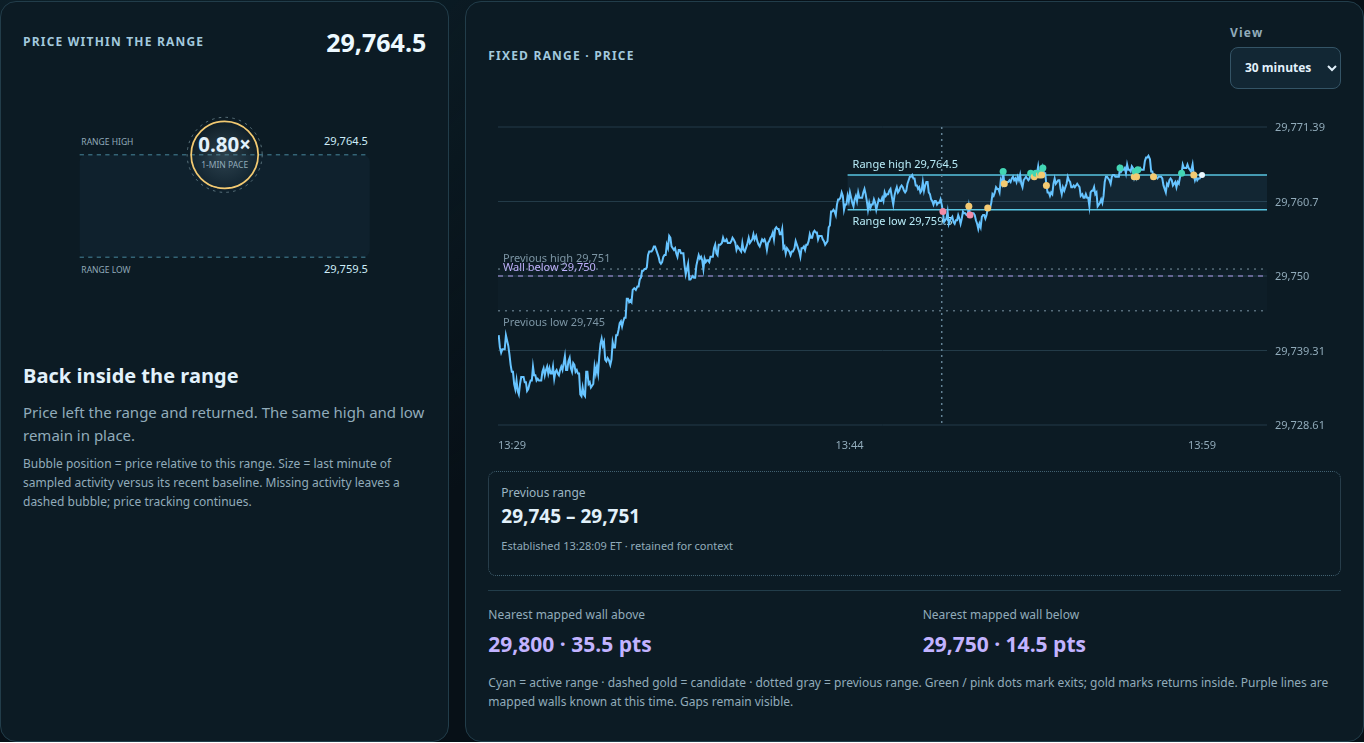
Open Range Pulse to follow price against fixed high and low boundaries. Watch exits above, exits below and returns inside. Compare sampled activity with actual price progress.
Ask: Is activity accompanying movement, or is price staying busy inside the same range?
Auto range can follow a qualifying new base, or you can keep the current range. A larger bubble means a faster sampled pace; it does not identify buyers, sellers or the next direction by itself.
Use Range Pulse replay to review a recorded session at your own pace. Session Compass also offers recorded sessions. Compare what was available at each point with what price did afterward.
Ask: What could I see at that moment, before the rest of the move happened?
Coverage depends on the market, date and available recordings. Gaps remain visible. A later outcome is useful for review, but was not information available earlier.
Start with one recorded interaction.
Choose a range exit or level response. Follow it forward, then review the surrounding context.
Use Price Control for the nearby areas and Range Pulse for the local range. Add Session Compass when you want the broader NQ picture.
Keep your execution platform alongside them. Check the market and timestamps, locate the relevant reference, and observe the next response. Add more tools when you have another question to answer.
BEFORE YOUR FIRST SESSION
A few useful distinctions.
Do I have to trade options?
No. These views support a futures workflow. Some references use qualified options data; others use price structure or sampled market observations. Each tool’s manual explains its inputs and coverage.
Does every tool work on every market?
No. Range Pulse and Price Control support NQ, ES, GC, RTY and YM. Session Compass currently follows NQ; Kaleidoscope supports NQ, ES and GC. Wall availability and recorded history also vary. Check the individual module guide.
Do these context tools place or manage my trades?
The workflow on this page describes observation and review. Your trade execution is separate. Any separately configured Ninja execution service has its own controls and access requirements; opening a context page does not enable automated trading.
What does “unavailable” mean?
The tool lacks usable input for that reading. It may be missing, stale, incomplete or unverified. It does not mean there is zero liquidity, no obstacle or no activity.
Where can I learn a specific control?
Each tool above links to its public user manual. Start with the overview for the purpose of the tool, then use the manual for controls, labels and common data questions.